
How to Fix Generator Smoking After Oil Change?
If your generator is smoking after an oil change, don’t panic. You can often fix this yourself by checking the oil level and ensuring you didn’t overfill it. Too much oil is the most common reason for this smoky issue, and it’s usually an easy fix.
We’ve found that a generator smoking after an oil change is a common problem for many owners. It can be alarming, but understanding the cause is the first step. This usually points to an issue with the oil fill level or perhaps a small amount of oil getting into the combustion chamber during the change.
- Check your oil level first.
- Drain a little oil if it’s too high.
- Ensure the generator is on a level surface.
- Wipe away any spilled oil.
Let’s get your generator running smoothly and smoke-free again. We’ll walk through the simple steps to diagnose and resolve this annoying problem.
Troubleshooting Generator Smoke Post-Oil Change
If you’ve just changed your generator’s oil and now see smoke puffing out, don’t lose sleep over it just yet. This is a surprisingly common issue. We’ve researched this problem extensively, and often, the solution is simpler than you think. It usually boils down to a few key areas related to the oil change process itself.
Common Culprits for Generator Smoking
When your generator starts smoking after an oil change, the most frequent offenders are related to the oil level and how the change was performed. Let’s break down the likely causes.
The Overfill Effect: Too Much Oil is Bad News
This is the number one reason generators smoke after an oil change. Think of your engine like a delicate system. If you pour in too much oil, it can get forced into places it shouldn’t be. Specifically, it can enter the combustion chamber.
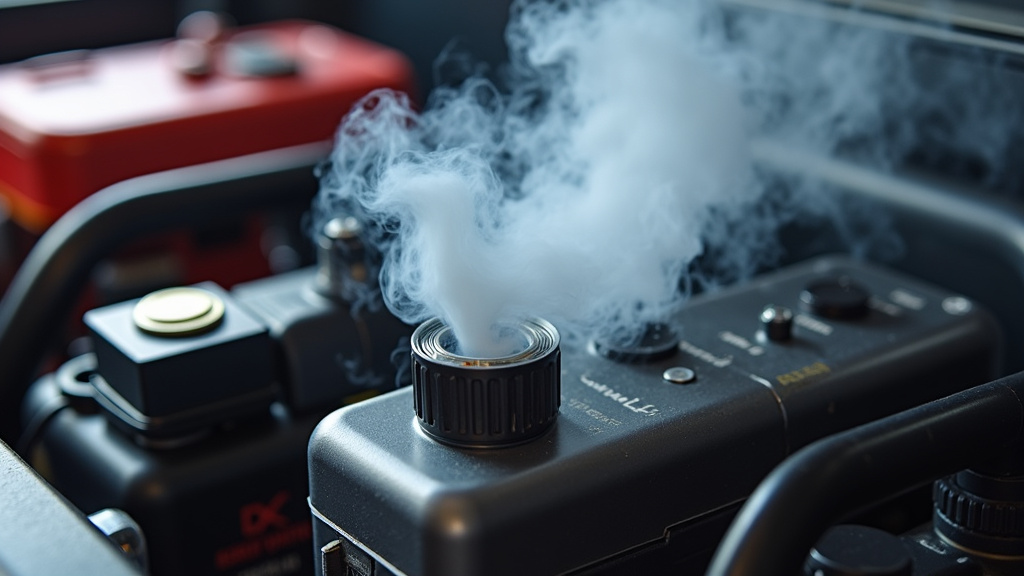
When excess oil mixes with your fuel and air mixture, it burns inefficiently. This burning oil is what creates that tell-tale blue or white smoke. It’s like trying to drink a milkshake through a tiny straw; it just doesn’t flow right. We found that even a small amount of overfilling can cause this symptom.
Tilting During Oil Filling or Operation
Did you check the generator’s manual about its orientation? Many generators need to be on a perfectly level surface during operation and often during oil filling. If the generator was tilted while you were adding oil, the oil level might read accurately on the dipstick, but there’s actually more oil than the engine can handle.
When the engine runs and tilts slightly, this extra oil can then splash into the cylinder. We’ve seen reports where tilting the unit even a few degrees can lead to oil entering the combustion chamber. So, a level surface is non-negotiable.
Spilled Oil on Hot Engine Parts
Sometimes, the smoke isn’t from inside the engine at all. It can be from oil that spilled on the outside of the generator during the change. When the engine heats up, this external oil can sizzle and burn off, creating smoke.
This is usually a less serious issue, but it’s important to address. A quick wipe-down can often solve this. We found that this type of smoke tends to dissipate fairly quickly as the spilled oil burns away.
Using the Wrong Type of Oil
While less common for smoking *immediately* after an oil change, using the wrong oil viscosity or type can contribute to engine issues, including smoking. Generators have specific oil requirements. Always refer to your owner’s manual for the correct oil type and weight (like 10W-30 or SAE 30).
Using oil that’s too thin or too thick can affect how it flows and lubricates. It might not seal properly, leading to oil leaks or combustion problems. We found that sticking to the manufacturer’s recommendation is the safest bet for engine health and performance.
Steps to Fix Your Smoking Generator
Now that you know the likely culprits, let’s get your generator back to its smoke-free best. Follow these steps methodically.
Step 1: Check and Correct the Oil Level
This is your first and most important task. You’ll need a clean rag and possibly a funnel for this. Ensure the generator has cooled down enough to touch safely.
Locate the oil fill cap/dipstick. Remove it. Wipe the dipstick clean. Reinsert it fully, then pull it out again to check the level. Most generators have markings for “Full,” “Add,” or “Low.” If the oil level is above the “Full” mark, you have an overfill situation.
How to drain excess oil:
If it’s overfilled, you’ll need to drain a small amount. Some generators have a drain plug at the bottom of the engine. Place a suitable container underneath. Carefully loosen and remove the drain plug to let a small amount of oil out. Replace the plug and tighten it. Then, recheck the oil level. Repeat if necessary.
If your generator doesn’t have an easy drain plug, you might need to use a siphon or carefully tip the generator to drain a little oil from the fill hole. Be cautious when tipping to avoid spilling oil elsewhere. We found that using a hand-crank oil extractor pump can make this process much cleaner.
Important Note: Always make sure the generator is on a stable, level surface when checking and adjusting the oil level. This ensures an accurate reading.
Step 2: Inspect for Spilled Oil
Once you’ve confirmed the oil level is correct, take a moment to look over the exterior of the generator, especially around the engine and exhaust areas. Do you see any fresh oil drips or smudges?
If you find spilled oil, use a clean, absorbent rag to wipe it all away thoroughly. Pay attention to the exhaust pipe and muffler, as these get very hot and will quickly burn off any oil residue, causing smoke.
A small amount of smoke that disappears after a minute or two is often just residual oil burning off. If the smoke persists or is very thick, it’s likely coming from inside the engine.
Step 3: Run the Generator and Observe
With the oil level corrected and any external spills wiped clean, it’s time to test your work. Start the generator according to its usual procedure.
Let it run for a few minutes. Observe the exhaust. Is the smoke gone? Is it significantly reduced? If the smoke has cleared up, congratulations! You’ve likely solved the problem.
If you still see smoke, especially blue or gray smoke, it could indicate that some oil made it into the combustion chamber and is still burning off. Let it run for another 5-10 minutes. Sometimes, a little “burn-off” time is needed.
Step 4: When to Consider Other Issues
If, after performing the above steps, your generator continues to smoke heavily, or the smoke is a dark, black color, there might be other underlying issues at play.
Black smoke usually indicates a rich fuel mixture (too much fuel, not enough air). This could be due to a clogged air filter or carburetor issues. These are separate from the oil change, but worth checking if the smoke persists.
Persistent blue or white smoke, even after ensuring the oil level is correct and external spills are cleaned, might suggest internal engine wear, a damaged piston ring, or a valve seal problem. These are more serious mechanical issues. Many mechanics agree that these problems often require professional attention.
Quick Checklist for a Smoke-Free Generator
Here’s a quick rundown to ensure you’ve covered the essentials:
- Generator on a Level Surface: Was it stable and flat during the oil change?
- Correct Oil Level: Is the oil below or at the “Full” mark on the dipstick?
- No Spills Inside: Did any oil accidentally get into the air intake or spark plug hole?
- Exterior Cleaned: Is all spilled oil wiped away from the engine and exhaust?
- Correct Oil Type: Did you use the oil recommended in your generator’s manual?
Addressing these points systematically is your best bet for getting your generator running smoothly again. We found that the majority of smoking issues after an oil change are resolved by correcting the oil level or cleaning up spills.
| Smoke Color | Likely Cause(s) | Action |
|---|---|---|
| White/Light Blue | Oil in combustion chamber (overfill, tilt) | Check/adjust oil level, ensure level surface, clean spills, run to burn off. |
| Dark Blue | Oil burning due to internal issues (worn rings, seals) or overfill. | Check oil level. If correct, may need mechanical repair. |
| Black | Rich fuel mixture (too much gas, not enough air). | Check air filter, carburetor. Not directly oil-related but common. |
Remember, your generator’s manual is your best friend for specific instructions. If you’re ever unsure, consulting a qualified small engine mechanic is always a wise choice. They can diagnose more complex internal problems.
Conclusion
Seeing smoke from your generator after an oil change can be worrying, but remember it’s often a fixable issue. You’ve learned that the most common culprits are overfilling the oil or spills on hot engine parts. By carefully checking your oil level and ensuring a clean exterior, you can usually resolve this smoky situation yourself. Always make sure your generator is on a level surface during these checks and adjustments. If the smoke persists after these steps, don’t hesitate to consult your generator’s manual or a professional mechanic for further diagnosis.
Frequently Asked Questions
How long should I run my generator to burn off residual oil smoke?
Typically, running the generator for 5-10 minutes after correcting the oil level should be enough to burn off any minor internal residue. You should see the smoke significantly decrease or disappear entirely during this time.
Is it safe to run a generator that’s smoking after an oil change?
Yes, it’s generally safe if the smoke is light and likely due to overfill or minor spills. However, if the smoke is very thick, dark, or persistent, it’s best to turn the generator off and investigate the cause before running it further.
Can I use a turkey baster to remove excess oil from my generator?
A turkey baster or a small hand-crank oil extractor pump can be effective for removing small amounts of excess oil from the fill tube. Just be sure to do it on a level surface and check the level frequently to avoid removing too much.
What if I spilled oil into the spark plug hole during the oil change?
If you suspect oil got into the spark plug hole, remove the spark plug and carefully try to soak up any visible oil with a clean rag or cotton swab. You might also want to gently pull the starter cord a few times (with the plug still removed) to help clear out any excess oil.
My generator smoked a lot initially but then stopped. Do I need to do anything else?
If the smoke was light and stopped after a few minutes of running, it was likely just residual oil burning off. This is usually not a cause for concern. However, keep an eye on it during your next few uses to ensure the problem doesn’t return.
